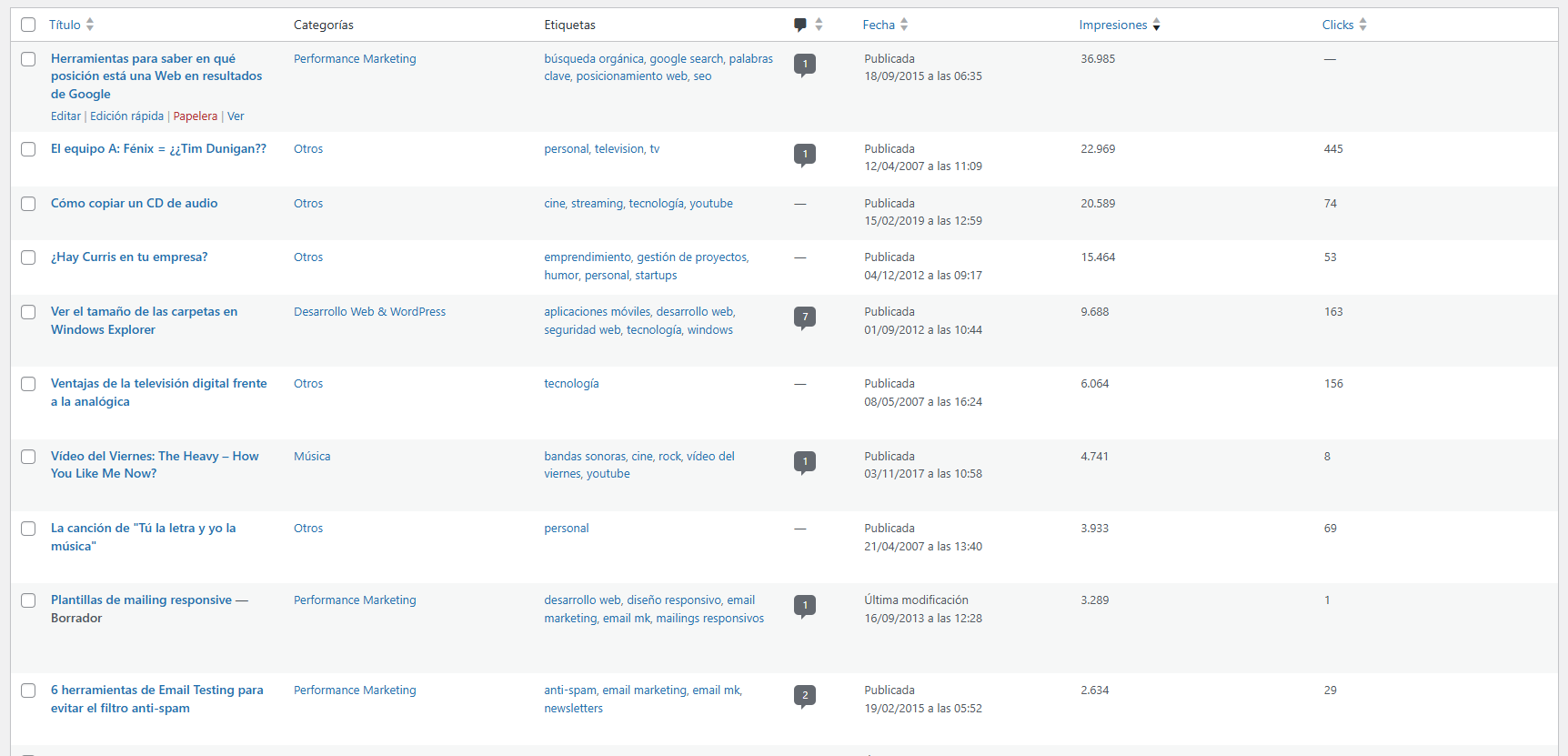
The clicks and impressions for every post, right in the list you already use to manage your posts.
What it does
It adds a page under Tools where you upload the pages table you export from Google Search Console, as a CSV or Excel file. The plugin reads the URL, clicks and impressions on each row and finds the blog post that matches that URL.
Once the data is stored, the Posts list gains two new columns, Impresiones (Impressions) and Clicks, which you can sort from highest to lowest in one click. After each import it tells you how many posts it updated and how many URLs it could not match.
Why in the posts list
Search Console tells you which URLs get traffic, but not next to where you decide which post to update, merge or delete. With the figures inside WordPress you can see at a glance which posts get no impressions and which are seen a lot but clicked little. You work with the period you export, with no API to connect, and the data is refreshed every time you import again.
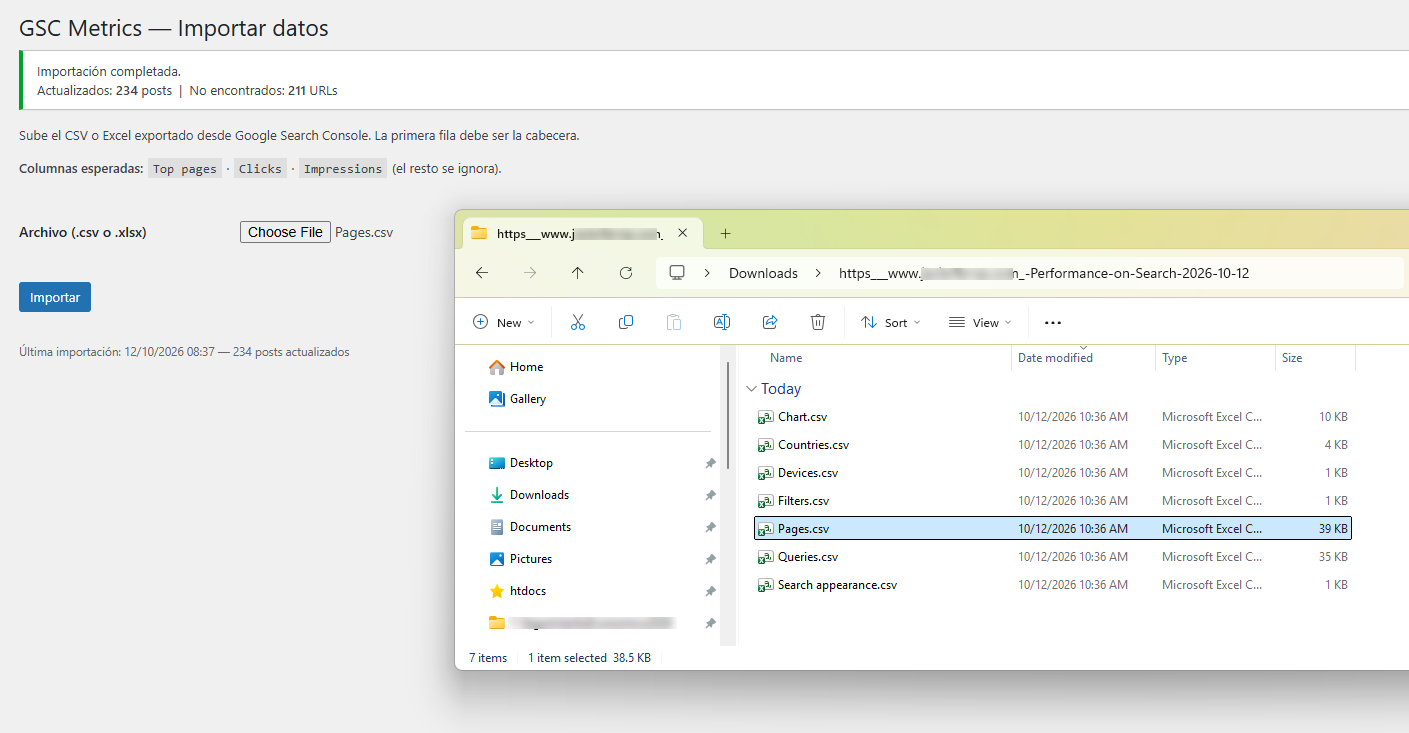
Pages.csv file exported from Search Console: the plugin reports 234 posts updated and 211 URLs not found.How it works
- Export the pages table from the Google Search Console performance report, as CSV or Excel.
- In Tools → Kokoa - GSC Metrics, choose the file and click Importar (Import).
- Open Posts and click the Impresiones (Impressions) or Clicks column header to sort the list.
Requirements
- WordPress 6.0 or later and PHP 7.4 or later.
- An export of the Search Console pages table, as CSV or Excel.
Want it on your WordPress site?
We'll install it and adapt it to your site: your content types, your link structure and the export you use.