The alternative text for your blog's images, filled in in bulk and checked by you before anything is saved.
What it does
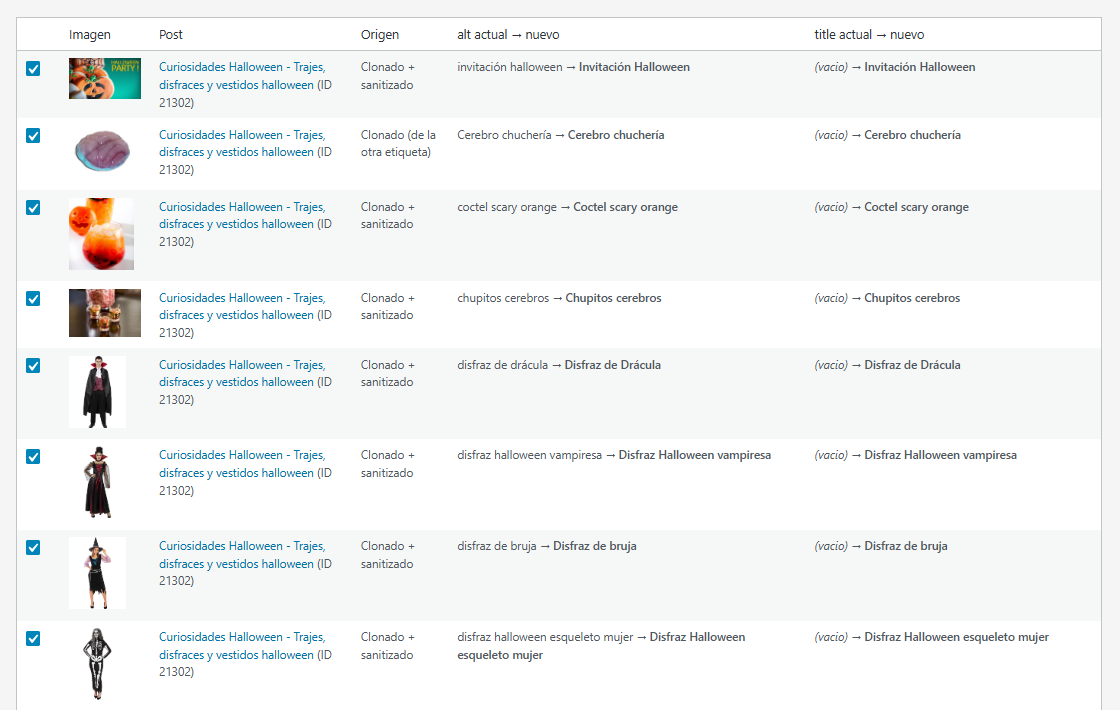
It goes through the content of your published posts looking for images that are missing their alt or title, or that just carry the file name with hyphens. If one of the two is fine, it copies it into the missing one. If both are missing and the image links to a product or category page in your shop, it suggests new text taken from the destination URL.
It also fixes capitalisation: an alt or title written entirely in lower case gets a capital first letter, and proper nouns get their capitals back.
Why alt text matters
Alt text is what a screen reader reads out and one of the clues Google uses to understand an image; left empty or full of file-name hyphens, it does neither job. On a blog with years of posts, fixing it image by image isn't realistic. With this plugin you review it and fix it in bulk.
How it works
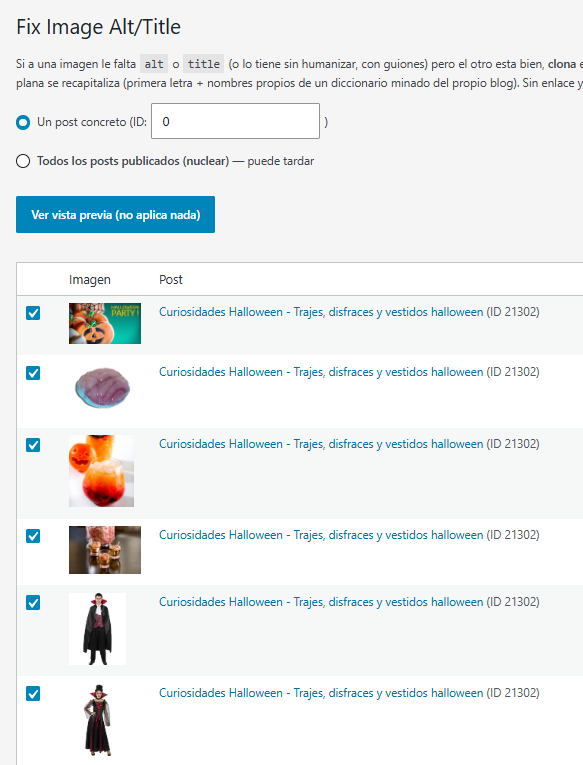
- In Tools → Alt/Title imagenes, choose Un post concreto (a single post, by ID) or Todos los posts publicados (nuclear) (all published posts).
- Click Ver vista previa (no aplica nada) (Preview, applies nothing) and review the table: each image with its current alt and title, the suggested ones and where they come from.
- Untick anything you don't like and click Aplicar seleccionadas (Apply selected).
Requirements
- WordPress 5.2 or later and PHP 7.4 or later.
- The PHP DOM and mbstring extensions.
Want it on your WordPress site?
We'll install it and adapt it to your site: your shop, the shape of your URLs and your proper nouns.