The excerpt and meta description of every post, written by AI and reviewed by you before publishing.
What it does
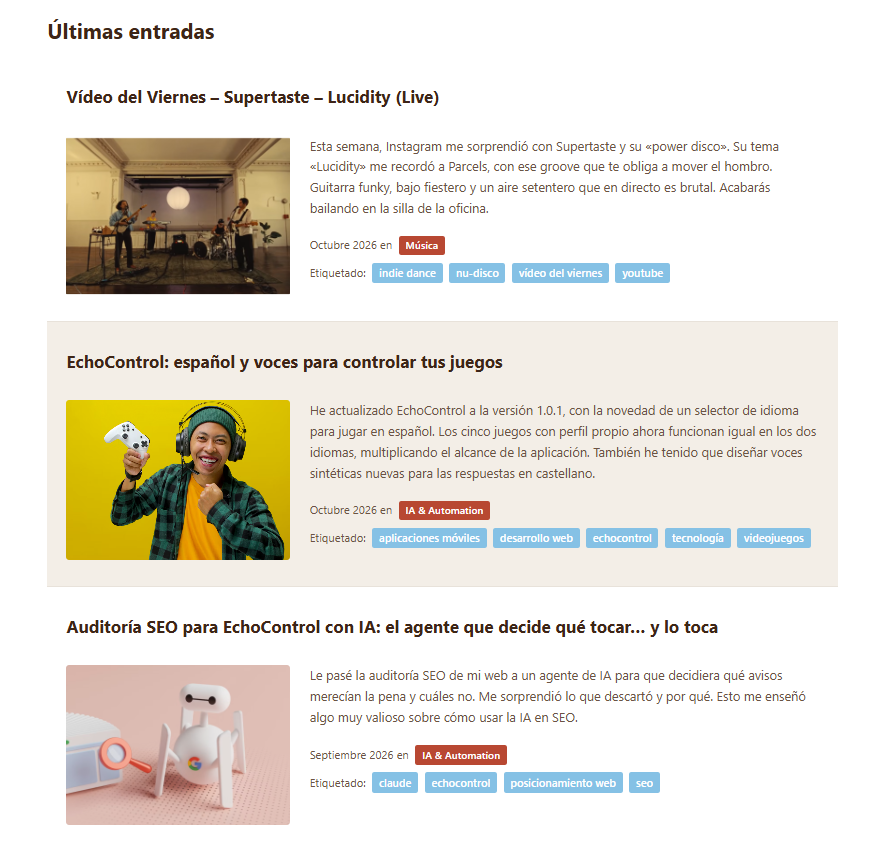
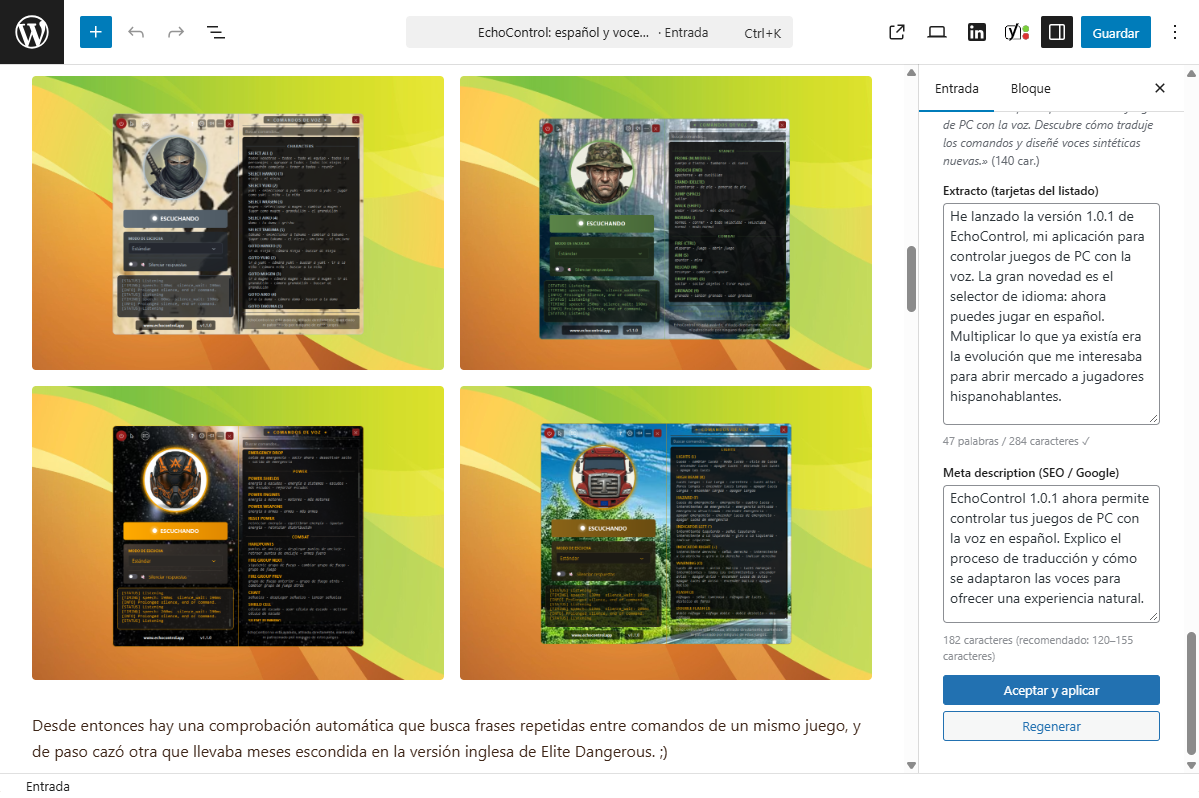
It adds a panel with a button to the editor of every post. When you click it, Google Gemini reads the article and suggests two texts in the same language: an excerpt of around 50 words for the blog listing cards and a meta description for the Google result, at the length Google shows (120 to 155 characters; a counter warns you if the suggestion runs over).
You can edit both before accepting them. When you accept, the excerpt is written into the post's Excerpt field and the meta description is saved in Yoast SEO. No copying and pasting.
Why two texts
If a post has no meta description of its own, Yoast uses the excerpt as it is, without trimming it to the length Google shows. With this plugin, each text has the length its place needs.
How it works
- Click Generar extracto (Generate excerpt) in the editor's Extracto SEO (IA) panel.
- Review both texts, edit them if you like, or ask for a new suggestion with Regenerar (Regenerate).
- Click Aceptar y aplicar (Accept and apply). Nothing is generated or saved unless you ask.
Requirements
- WordPress 6.0 or later and PHP 7.4 or later.
- Yoast SEO, so that Google uses the meta description.
- A Google Gemini API key, set in Settings → Kokoa - Manual Extract IA.
- Licence: GPL v2 or later.
Want it on your WordPress site?
We install it and adapt it to your site: tone, lengths and your SEO setup.